
How to Extend Short Videos and Create New Scenes with AI
Learn how to extend short videos and create new scenes using AI on WhatsApp. Transform brief clips into emotional, complete stories easily and quickly.
- AI video extension
- extend video
- AI video tools
- WhatsApp AI
- video editing

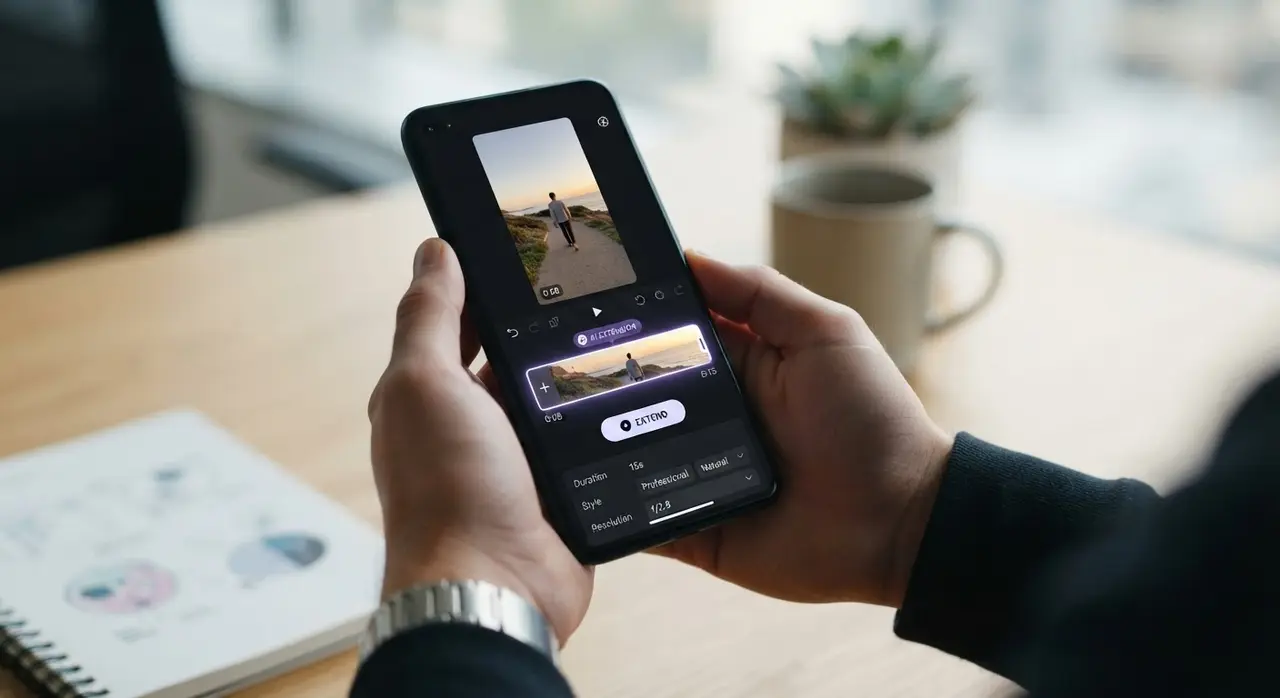
AI video extension is a powerful technology that takes a brief, few-second clip and generates a seamless continuation, turning fleeting moments into longer, meaningful scenes. By using advanced neural networks, this process allows you to create a new scene with AI that maintains the original context, lighting, and subjects, effectively bridging the gap between a split-second memory and a complete narrative.
Many people struggle with clips that are too short to truly capture the magic of a moment. Whether it's a child's first steps or a fleeting smile from a loved one, these fragments often feel incomplete. AI solutions at Vídeo com IA solve this by allowing you to send your file and a simple description of the desired continuation, providing a smooth, high-quality result without the need for complex editing software.
Why Short Clips Often Feel Incomplete
Short clips often fail to convey the emotional depth of a memory because they lack context and duration. When you only have two or three seconds of a precious moment, it can be difficult to share that experience or use it for a thoughtful personalized gift. Extending these videos allows you to pace the memory, add emotional resonance, and make the footage feel like a real cinematic sequence rather than a quick snapshot.
| Feature | Traditional Editing | AI Video Extension |
|---|---|---|
| Learning Curve | High (Complex Software) | None (WhatsApp) |
| Time Required | Hours | Minutes |
| Cost | Expensive Tools | Accessible |
| Ease of Use | Hard | Very Simple |
How AI Video Extension Works
AI video extension works by analyzing the last frames of your existing clip to predict the most logical movement and scene progression. When you provide a text description, the AI uses that context to generate a new scene of up to 7 seconds. This ensures the output feels authentic and follows the natural flow of your original video.

The process is designed for anyone, even those without technical skills. By sending your video through WhatsApp, you bypass the need to install heavy software or learn complicated timelines. The AI handles the resolution and frame interpolation, ensuring that the extended portion blends perfectly with your original footage.
Step-by-Step: Extending Your Videos via WhatsApp
Extending your videos through Vídeo com IA is a straightforward process designed for maximum convenience. Follow these steps to transform your clips:
- Select your clip: Choose the short video you want to enhance.
- Describe the action: Send a clear, concise text message explaining what happens next (e.g., "the person smiles and waves").
- Send to WhatsApp: Use the provided contact to send both the video and the description.
- Receive your extended video: Our AI will process the request and return your new, longer video scene.
For the best results, be as descriptive as possible. Instead of saying "make it longer," try describing the specific movement or emotion you want to see, such as "the camera pans slightly to the left to show the birthday cake." This precision helps the AI generate a much more accurate and emotionally resonant scene.
Creative Ways to Use AI-Extended Memories
There are countless ways to utilize these longer clips. From creating high-quality social media content to crafting an emotional tribute for a family member, AI-extended videos are versatile tools. One client, a family historian, used our service to restore old family photos and extend short, shaky home movies into meaningful sequences for a 50th-anniversary celebration, resulting in a deeply moving and professional-looking tribute.
Frequently asked questions
Can I extend any type of video?
Yes, our AI can process most short clips, including family home videos, portraits, and travel footage. For optimal results, ensure the original video has stable lighting and clear subjects.
How long will the extended video be?
Our AI technology typically generates a new scene of approximately 7 seconds, providing you with a smooth and natural continuation of your original footage.
Do I need to install any software?
No, you do not need to install any apps or complex editing software. Everything is done through WhatsApp, making the process simple, quick, and accessible for everyone.
What if I don't know how to describe the scene?
Just provide a simple, natural language description of what you want to happen next. If you are unsure, our support team can help guide you on how to best frame your request for the AI.